Yourbookings,inyourpocket.
Track cancellation deadlines and price drops on iPhone. Native, fast, and notification-first.

Three taps. Zero spreadsheets.
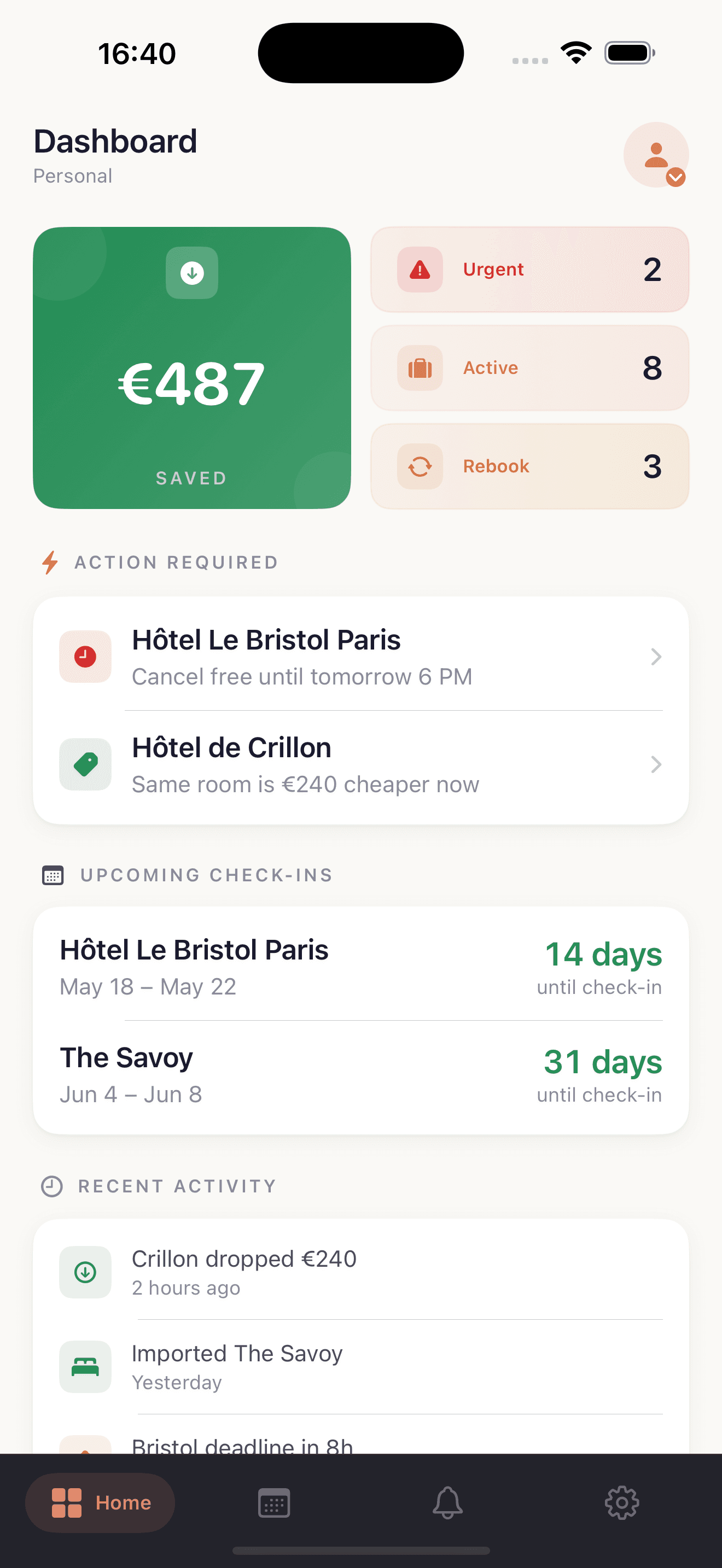
Open your dashboard
Every booking, sorted by urgency. See what's checking in next and what still has a refundable window.
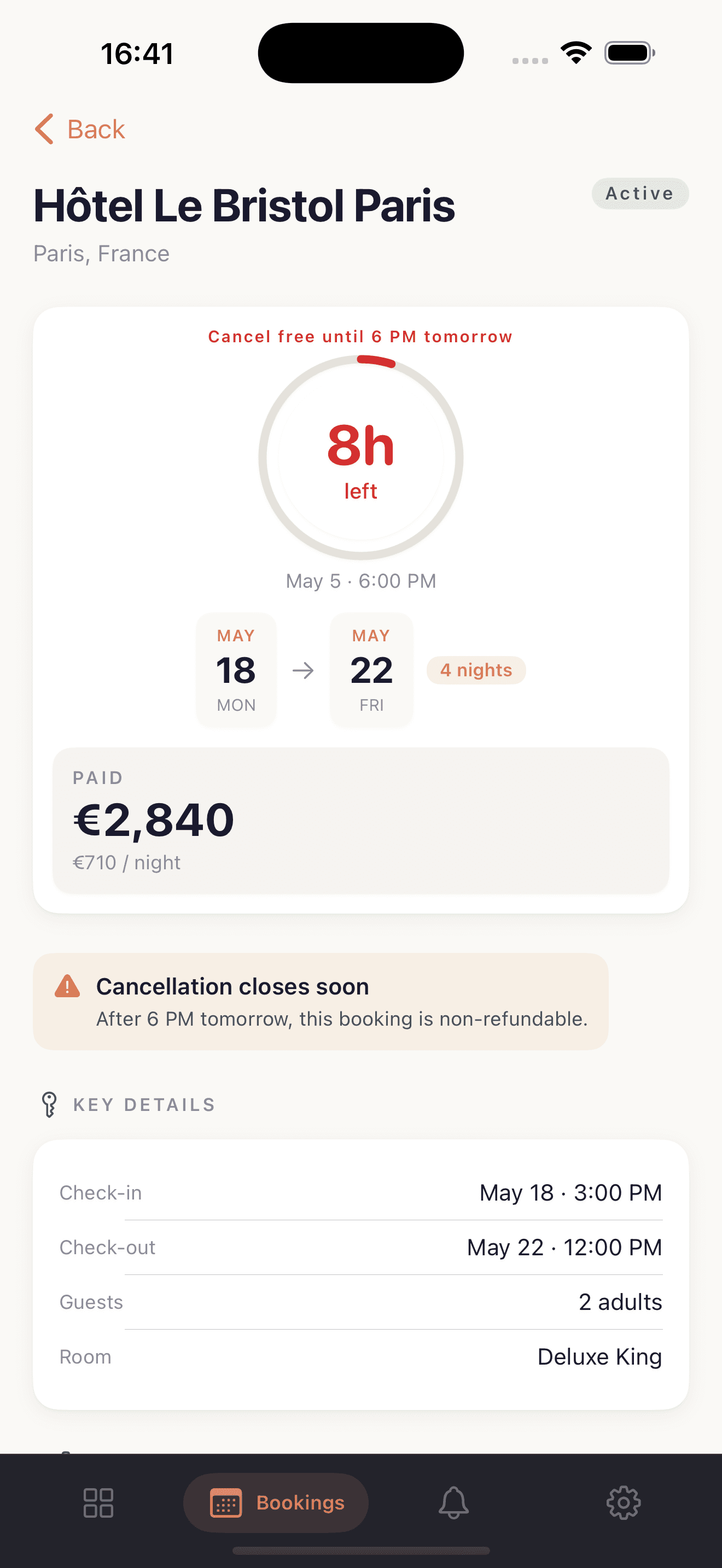
Tap any booking
Full details, deadline countdown, paid amount, and a one-tap link back to the original booking page.
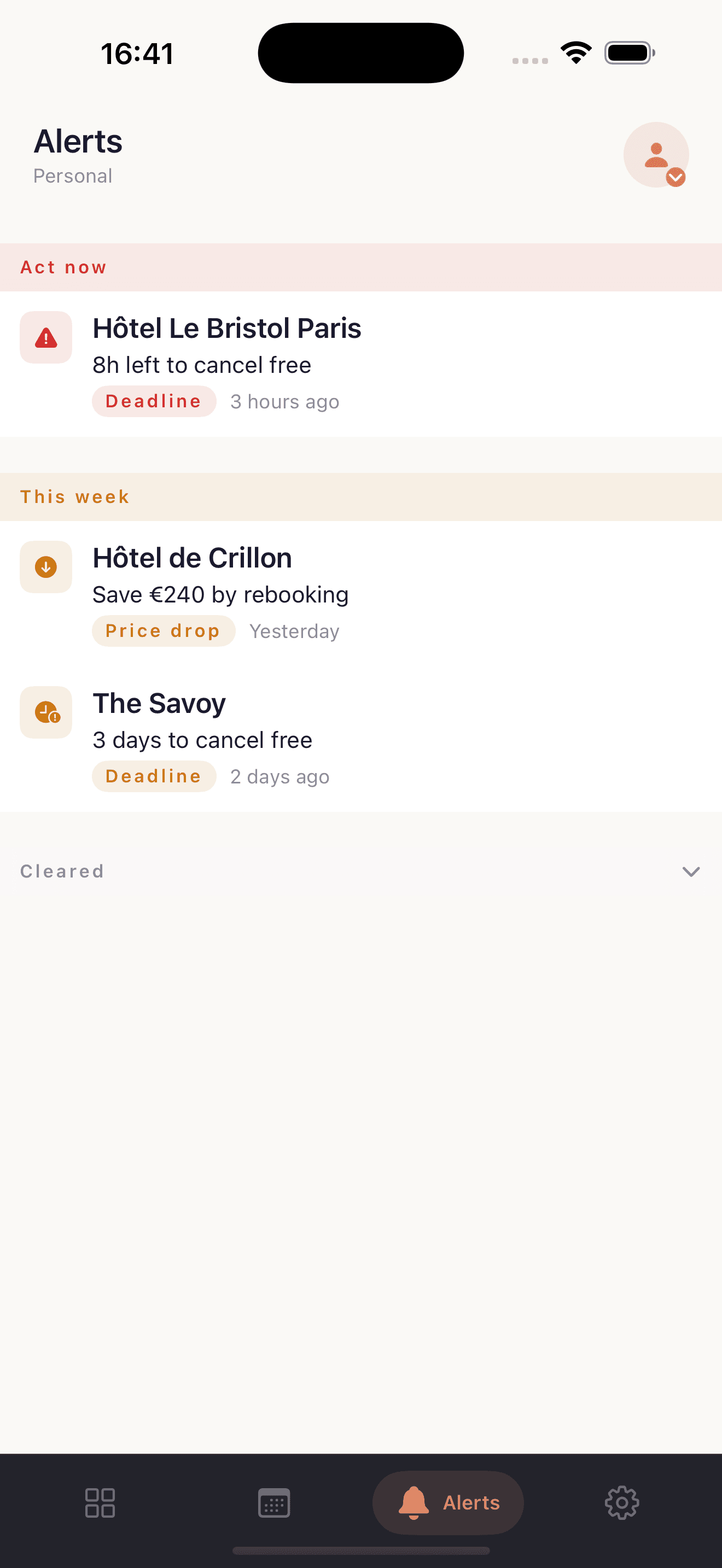
Get pushed when it matters
Cancellation deadlines and cheaper rates land as iPhone push notifications. Tap to act.
Open your dashboard
Every booking, sorted by urgency. See what's checking in next and what still has a refundable window.
Tap any booking
Full details, deadline countdown, paid amount, and a one-tap link back to the original booking page.
Get pushed when it matters
Cancellation deadlines and cheaper rates land as iPhone push notifications. Tap to act.
Built native. Built fast.
Deadline countdowns
Free-cancellation windows surfaced before they close.
Price-drop alerts
We re-check rates daily and ping you when refundable rooms get cheaper.
Push notifications
Critical alerts arrive instantly — no email lag, no inbox digging.
Currency-aware
Paid amounts and savings shown in your home currency, FX baked in.
French + English
Full app, alerts, and notifications in both languages — follows iOS settings.
iPhone-only, for now
Built natively in SwiftUI for iOS 17+. iPad and Mac are on the roadmap.
Frequently asked questions
Any iPhone running iOS 17 or later. The app is iPhone-only — there is no iPad or Mac version yet.
Yes. Sign up at stayhawk.app, forward a confirmation email to your inbox, then sign in to the iOS app to see your bookings on the go.
Not yet. The app is read-only for now — use email forwarding or the Chrome extension to add bookings, then the app shows them in real time.
Browse your booking portfolio, see upcoming check-ins and cancellation deadlines, view price-drop alerts, and tap through to the booking source URL. Push notifications fire the moment an alert is generated.
Yes. Allow notifications on first launch and you will receive a push the moment a deadline approaches or a cheaper rate is found. Tap the notification to jump straight to the booking.
The last loaded view stays visible offline, but live data, alerts, and price checks require a connection.
Yes. The app follows your iOS system language. Set your iPhone to French and the entire app — including alerts and notifications — switches over.
Open Settings inside the app and tap Sign out. To delete your account entirely, contact support@stayhawk.app.
The iOS app is currently consumer-only — it shows your personal workspace. Agency workspaces are coming to a later release.